Digital Certificate and Cl@ve in Spain for Foreigners (2026)
Start with the FNMT digital certificate: it is free for any adult holding a NIE. Request it online, then prove your identity at an office with your foreigner card or NIE document and your passport. Cl@ve is the alternative. The letter route works for a NIE, while the office route asks for a DNI, so ask before you go.
On this page
Get the FNMT digital certificate: it is free for any adult holding a NIE, and it works for taxes, forms and fines. Cl@ve is the second option, a shared login for dealing with public administrations.
Certificate or Cl@ve?
Start with the certificate. It lets you file taxes, sign official forms, check traffic fines and open the padrón services. In Valencia it also gets you the padrón certificate online.
Cl@ve also comes up when you request a Social Security number online; see our NUSS guide.
Cl@ve is a login you register for first. The basic level opens many services but not all, and it has no Cl@ve Firma. Services that need more security ask for the advanced level, which you get with a certificate or in person.
How do you get the certificate with a NIE?
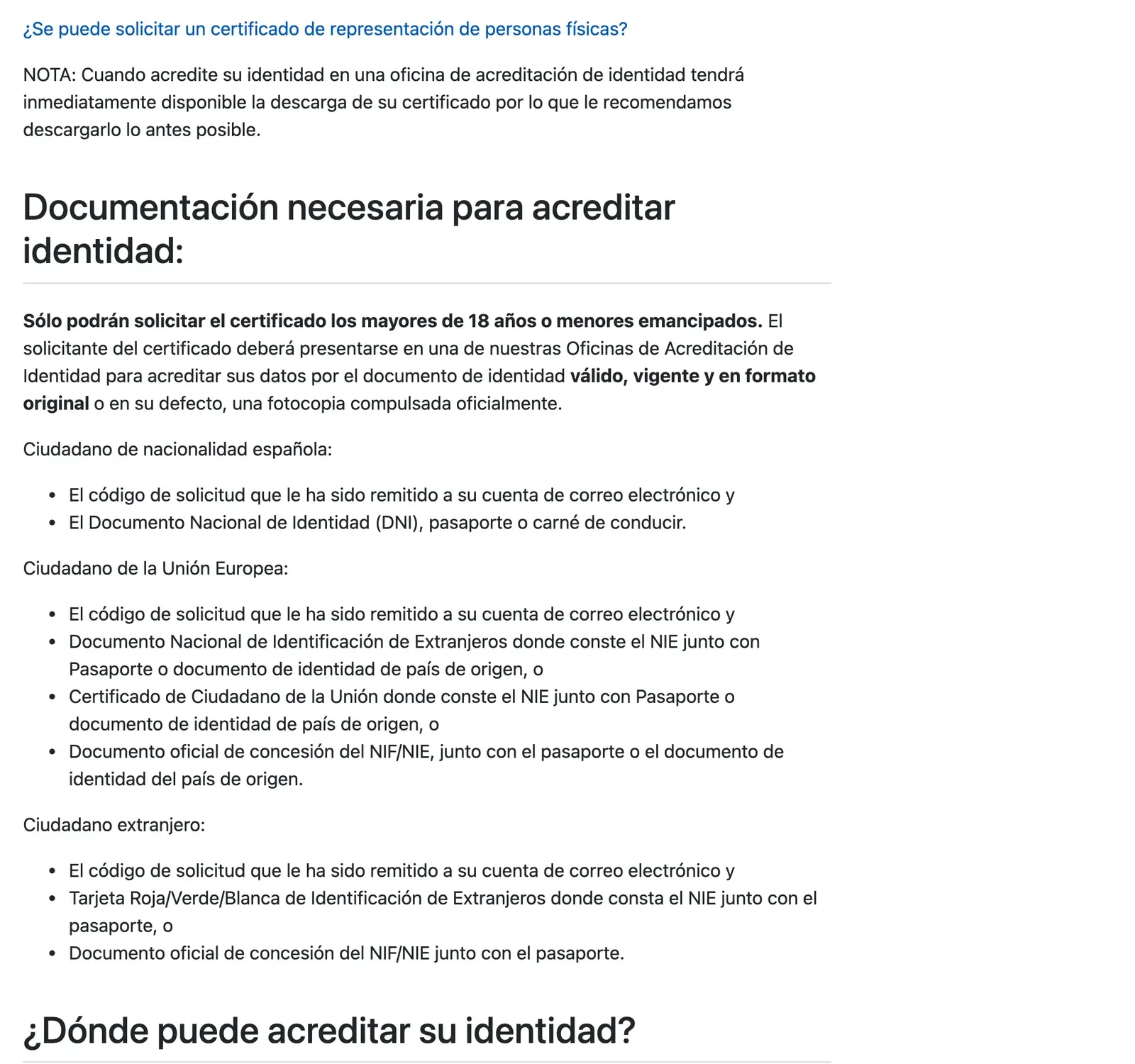
Any adult holding a DNI or NIE can request it free. The steps run like this:
- Book the identity check first, as AEAT recommends.
- Request it online with your NIE, first surname as on the document, and an email address. The request code arrives by email.
- Go in person with the request code and your documents.
- Download on the same computer and user, then make a backup.
For the check, bring your passport and either the foreigner card showing your NIE or the NIE grant document. If you are an EU citizen, the EU citizen certificate with your NIE works, plus a passport or home-country ID. Bring originals or officially certified copies.
Not sure which document you hold? The NIE versus TIE guide explains the difference, the EU registration certificate covers the EU route, and the NIE appointment guide covers getting the number first.
What goes wrong at the download?
Use the same computer and user as for the request, with no reformatting or browser updates in between. Keep your request password, because it is asked again. Make a backup straight away: without one, the only fix is a new certificate. If the download fails at first, retry about an hour after the check.
Where do you prove your identity in Valencia?
AEAT offices act as FNMT accreditation offices, so the tax agency delegation on Plaça de l’Ajuntament is worth trying; confirm it in the FNMT locator before booking.
Placa de l'Ajuntament 9, 46002 Valencia, Spain · Open in Google Maps (opens in a new tab)
The Seguridad Social information centre on Carrer de Pelai is the other one to ask about.
Carrer de Pelai 47, 46007 Valencia, Spain · Open in Google Maps (opens in a new tab)
Book first, because AEAT, Seguridad Social and other offices require an appointment. Do not go to a Correos branch: the check cannot be done there.
Can you use the video routes?
Not with a NIE. The FNMT video route needs a current electronic DNI, and Cl@ve video registration is temporarily offered only to Spanish citizens with a valid DNI. Go in person for the certificate, or use one of the Cl@ve routes below.
How do you register for Cl@ve with a NIE?
The letter route is confirmed for a NIE. The office route’s page asks for a DNI, so ask when you book.
With the invitation letter
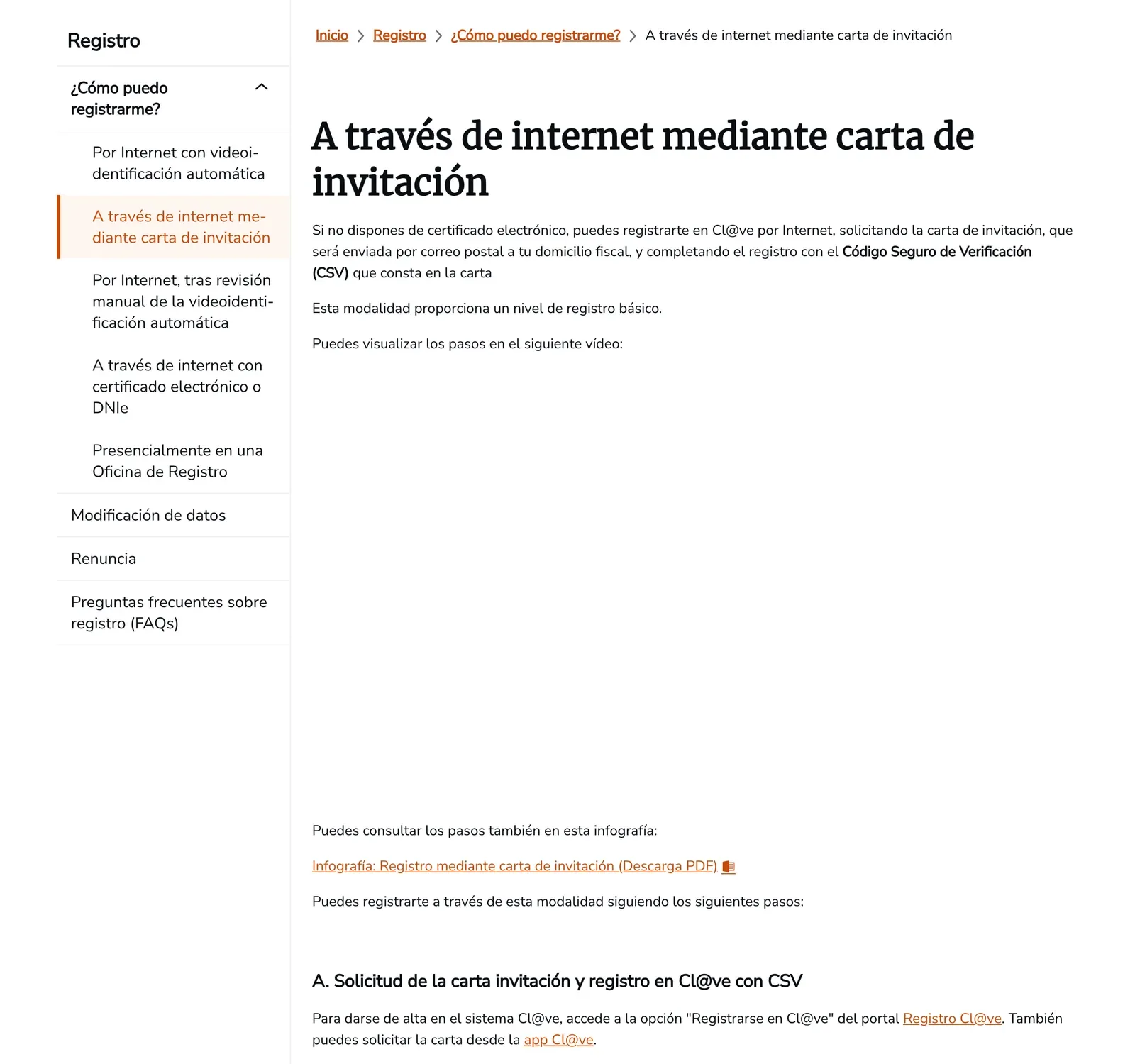
Request the letter online, using your NIE and the support number printed on the NIE document. It goes by post to the tax address the tax agency holds for you, and the 16-character code inside completes the basic registration. You also need a mobile number and an email address, and each mobile number can be linked to only one DNI or NIE. A foreign number works if you can receive SMS from other countries.
With a certificate, or in person
With a certificate you register online for the advanced level. In person, you go yourself, because nobody can register for you, to an AEAT, Social Security, SEPE or Government Delegation office. Many require an appointment.
Once registered, taxes are the main use. See the tax return calendar for deadlines and the autónomo registration guide if you work for yourself. Once you hold a TIE, the TIE guide covers the card.
Step by step
- Book the identity checkAEAT recommends booking before the online request; AEAT and Seguridad Social offices require an appointment.
- Request the certificate onlineEnter your NIE, first surname and email; the request code arrives by email.
- Prove your identity in personBring the request code, your foreigner card with NIE or the NIE grant document, and your passport.
- Download and back upDownload on the same computer and user and make a backup.
Not confirmed: Which Valencia offices currently do the FNMT identity check: use the FNMT office locator and book a slot. Whether the Cl@ve office desk accepts a NIE: its page asks for a DNI, so ask when you book.
Common questions
Is the FNMT digital certificate free for foreigners?
Yes. Any adult holding a DNI or NIE can request and obtain it free of charge.
Can I use video identification with a NIE?
No for the FNMT video route, which needs a current electronic DNI. Cl@ve video registration is temporarily offered only to Spanish citizens with a valid DNI. A NIE holder goes in person for the certificate or uses the Cl@ve letter.
Which documents do I bring to the identity check?
The request code from your email, plus your foreigner card with the NIE or the NIE grant document, and your passport. An EU citizen can show the EU citizen certificate with the NIE plus a passport or home-country ID.
Do I need an appointment?
At AEAT and Seguridad Social offices, yes. The check cannot be done at Correos branches.
Can I get Cl@ve with a NIE?
Yes, by letter. The invitation-letter route accepts a DNI or NIE and asks for the support number on a NIE. The office route's page asks for a DNI, so ask when you book. You also need a mobile number and an email address.
Why can I not download my certificate?
Use the same computer, user and browser as for the request. Without a backup, the only way to move the certificate is to request a new one.
Read next
Sources and reader comments
Official sources:
- FNMT-RCM, Sede electrónica: Certificado electrónico de Ciudadano (opens in a new tab)
- FNMT-RCM, Sede electrónica: Acreditar identidad presencial (documentación y oficinas) (opens in a new tab)
- Gobierno de España, Cl@ve: Registro a través de internet con carta de invitación (opens in a new tab)
- Gobierno de España, Cl@ve: Registro presencial en una Oficina de Registro (opens in a new tab)
- FNMT-RCM, Sede electrónica: Obtener Certificado con acreditación presencial (opens in a new tab)
Show 6 more sources
- FNMT-RCM, Sede electrónica: Obtener Certificado con Vídeo Identificación (opens in a new tab)
- Gobierno de España, Cl@ve: Registro por videoidentificación automática (opens in a new tab)
- Agencia Tributaria, sede: Información y pasos para la obtención de un certificado electrónico (opens in a new tab)
- Gobierno de España, Cl@ve: ¿Cómo puedo registrarme? (opens in a new tab)
- Ajuntament de València, sede.valencia.es: Certificado de empadronamiento (PA.CE.10); archived copy (opens in a new tab)
- Gobierno de España, Cl@ve: Preguntas frecuentes sobre registro (opens in a new tab)
General information checked against the sources listed above. Prices, opening hours and other details change; confirm them with the provider before you act. See how guides are checked.
Spotted an error? Report it.
Comments (0)
Be the first to ask about this topic.